Getting Things Done with Mindjet

I’m surprised I haven’t come across this video before because GTD or Getting Things Done is one of my favorite thoughts or strategies and Mindjet MindManager is my favorite tools for implementing GTD. I promise you it’s worth your time to watch if you have a lot of information and effort to coordinate…

https://www.youtube.com/watch?reload=9&v=A7Jc_Z-Ld_c

The Tools David Allen Uses to Get Things Done


Lifehacker curated this story from The Atlantic:

GTD guru David Allen recently spoke in an interview with The Atlantic about all the things that keep him organized and productive. He uses a combination of low-tech tools and digital applications to accomplish what he says is the number one thing people need to do to gain control over their lives: “externalize” all the stuff thats coming in.” Full story at:The Tools David Allen Uses to Get Things Done.

Go to the source if you’re interested in David Allen’s approach…

Me? Here’s my list of GTD tools. Almost all electronic and besides the hardware, free or freemium and completely cross platform:

[listly id=”25l” layout=”full”]

How to do an Ultimate GTD Weekly Review

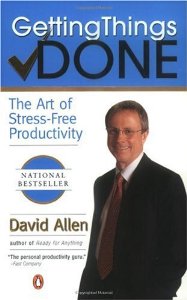
Cover of "Getting Things Done: The Art of...

Lifehacker is offering courses online; today they tackle the Getting Things Done weekly review:

You are only as good as your GTD system.

In the Getting Things Done system, without a solid weekly review, your productivity will not be at an optimum level. The weekly review is one of the most overlooked aspect of GTD, mostly because it seems to take too much time or may seem “overboard”. The fact is the GTD weekly review is essential to get more done with relaxed control.

In this Lifehack Lesson you will learn how to do one of the most thorough weekly reviews that will boost your productivity and get you one step closer to having a “mind like water”. Get the course here: How to do an Ultimate GTD Weekly Review.

If you’re not familiar with David Allen’s classic work on ‘Getting Things Done’ I strongly encourage you to look into his system!

Google Calendar is a contact- and time-managem...
Image via Wikipedia

The folks at Lifehacker took a poll on the top calendaring applications. Here are the results…

“Nothing’s more important to your productivity arsenal than a solid scheduling tool, and considering so much of what we do happens at the computer, a good calendar application is just the thing to bring order to your agenda. On Tuesday we asked you to share your favorite calendar application, and today we’re back with the five most popular answers. Keep reading for a detailed look at the top five and to cast your vote for the calendar tool you like best.” Source: Hive Five: Five Best Calendar Applications 

Me? I use Google calendars — the free one associated with my Google account as well as my business calendar in Google Apps. Go to the source to read the whole article — it’s worth it!

If you’re an Outlook user and want to be more efficient, I highly recommend this new white paper from David Allen…

“For those of you working with Outlook 2007, you might want to get the new GTD & Outlook 2007 whitepaper. We overhauled the previous Outlook document with new tips, tricks and strategies for maximizing Outlook for your GTD system. You’ll also find new instructions for setting up categories in 07 (although customizing your tasks view has stayed exactly the same.) ” Simply GTD with Kelly: GTD & Outlook 2007

Click the link to purchase — it’s only $15.00…

Long, but interesting…

httpv://www.youtube.com/watch?v=KHGcvj3JiGA

…from a reputable source…

“Want to be sure that you are a valuable member of the team? Well, then don’t annoy your coworkers with your email habits. Or worse, don’t annoy your superiors.

“Since email is now the number one business communication tool it’s become the best way to trumpet your value and save your job,” says Mike Song, a top email efficiency and etiquette expert and lead author of the bestselling book, The Hamster Revolution: How to Manage Your Email Before It Manages You.” Source: IT Management » Blog Archive » Be A Good Emailer

Go to the source to read the whole article — it’s worth it!

Reblog this post [with Zemanta]

Stay on top of your industry, that is. If you’re a business professional in any category and you’re not using Google Reader or some lesser tool to monitor newsfeeds, I’m very concerned about your future. Whoa. What did you say, Todd? I said, I’m very concerned about your future!

You see, unless you’re working on a production line somewhere making widgets for an hourly wage [not that there’s anything wrong with that — I’ve done it myself] your growth and advancement in business and in life [see this if you don’t believe me] depends on your ongoing professional development and that depends in large part upon your ability to aggregate, manage, and leverage relevant information

Continue reading “How DO You Do It?”

httpv://www.youtube.com/watch?v=eRqUE6IHTEA

Every once in awhile…

…I stumble upon something that I had used once and had forgotten and can’t remember why I stopped. This morning I fell in love with Shareaholic all over again…

“Shareaholic makes it easy for you to submit the web page you’re on to your favorite sharing or bookmarking service, including: digg, del.icio.us, facebook, friendfeed, bit.ly, connotea, google bookmarks, google reader notes, gmail, kaboodle, magnolia, meneame, mixx, myspace, plurk, reddit, soup.io, stumbleupon, tipjoy, tumblr, twine, twitter, weheartit, yahoo buzz, and ycombinator. You can also e-mail the web page directly to a friend.” Source: Shareaholic – The browser add-on extension to share, bookmark and e-mail web pages quickly

Why is this important? Let me try to net it out quickly…

Finding a great website may help you advance your knowledge but what if you had a way to share it with others that required little or no additional effort? Wouldn’t that be worth it? Sure, there are some websites that I keep for my own private use, but for the sites that contain good information for my ‘followers’, I can post those sites to my ‘rooms’ in FriendFeed and they show up as featured articles in the right hand column of my blog. That way, these bookmarks benefits me as well as the rest of the world and make my site more of a destination because of the valuable resources that are there! If you want to drive people to your website or blog, give me a call at (920) 486-4798 or drop me a note using the contact form above. I can help!
Reblog this post [with Zemanta]

Are You Jotting Yet?

This free tool is amazing, especially if you’re a busy person who spends a lot of time in the car with your cell phone…

“At its most basic level, webapp Jott is a voice to text transcription service: you call Jott, leave a message, and Jott transcribes it and emails you or your contacts the text. That alone can capture the big idea that pops into your head on the drive to the office, but Jott can do a whole lot more than send you email. With Jott’s built-in links and tools that capitalize on its email-sending abilities, it can give nearly any personal organization system a go-anywhere, add-anything boost. Today we’ve got a quick primer on how to turn your phone into a ubiquitous capture tool that zaps info into all your favorite organization apps by voice.” Feature: Get Things Done Over the Phone with Jott

David Allen of ‘Getting Things Done’ fame says that your mind is a terrible place to store things — Jott can help get things out of your mind and into a system where you can deal with them, but that’s just the start. Read the whole article…

What is the Best Way to Manage my Tasks?

Microsoft Office Outlook
Image via Wikipedia

Here are the results of a recent lifehacks survey…

“If all the methodology of the best GTD applications loses you in the productivity shuffle, there’s nothing like a classic, simple to-do list to keep you on track. You’ve never had more options—both simple and robust—for managing your to-do list as you do today. On Tuesday we asked you to share your favorite to-do list managers, and today we’re back with the five most popular answers. Keep reading for a glimpse at the five best to-do list managers, then vote for the to-do tool you like best.” Source: Hive Five: Five Best To-Do List Managers

Personally, I use Rememberthemilk because of the ability to integrate it into Gmail and my Blackberry, but I’m fluent in Outlook as well as ‘pen and paper’. Questions? Feedback? Leave a comment or use the contact page to reach me…

Update 10/25/09: Lifehacker lists these tools: Microsoft Outlook, Rememberthemilk, Pen and Paper, Text and Todoist. It’s one of the rare times I take issue with one of their posts. Here are a couple of other tools that are getting my attention in this space lately:

  1. ReQall; create todos, notes, share taskes with other users via phone calls, website, or iPhone. More with $25 annual subscription.
  2. Jott; Used to be my favorite in this category. Similar to ReQall, more features, more $$$. Very cool!

If you only have time to look at one, try reQall. Easy to use and inexpensive…

Reblog this post [with Zemanta]

Start a Blog at WordPress.com.

Up ↑