I haven’t done a screencast for awhile, so here’s a quick riff on Getting Things Done [GTD] in Gmail with Google Tasks…
Effectively managing email is fundamental. So many people are at the mercy of their inboxes! Ethan Waldman had a great post this morning over at The Minimalists that got me thinking about my own minimalit approach to Gmail. I hope he doesn’t mind if I curate a chunk of his thoughts here:
In everyday life, we hear the phrase “less is more” so often that it’s become cliché. But the number of people who actually live a “less is more” lifestyle are few and far between. Of course, when it comes to paring down, some areas of our lives are a lot easier to address than others. Getting rid of the majority of your possessions is difficult due to the emotional connections we have with our things.
There’s one area that I think is relatively untapped, in which adopting a more minimalist mentality isn’t too difficult, and offers huge gains in the form of time savings,and stress reduction.
That area? Email.
Think about it: For most of us, our email inboxes are the epicenter of our lives. Personal and professional communication all mixed up in a stew of disorganization.
The newest things are on top. Older things are pushed to the bottom or onto the next page, with no regard for importance. Most are things that don’t require immediate action—things we could read later, file for reference, or delete right off the bat.
Before I addressed this problem in my own life, the volume of email I received created the perfect opportunity to procrastinate. I could avoid responding to the more important messages by cleaning up and moving around the unimportant ones.
The task of maintaining my inbox took precedence over actually taking action, as critical items would get pushed down the page and I would deal with the junk that just kept flowing in on top. This task was complicated by the fact that I had both personal and professional emails all flowing into the same place with no system for determining which was which.
The solution to my problem only came after I realized that I didn’t need any other product, app, or gadget to solve it. The tools that I needed were already built into the mail program I use (Gmail), and I only needed to learn how to use them to create a better system.
The basis of my system is what Gmail refers to as filters. A filter is a set of actions that you tell Gmail to enact when it finds a message that matches specific criteria. If you get a message like X, do Y to it. Simple, but powerful.
Over the course of years of experimenting and trying things out, I developed a system that keeps my inbox automatically rganized.
The changes I’ve experienced as a result have been what you might expect: Of the time I spend dealing with email, I spend the majority of it writing or responding to important messages. I spend a small fraction of it actually organizing or finding the important things. They are automatically called out and highlighted before I ever open my inbox.
Gmail is by far the most popular mail service out there, but do you think that most people using it have created a system that organizes their email? Doubtful.
What’s holding you back? Just like getting rid of your possessions, deciding what email is important and what email isn’t forces you to choose. You do have to let go of certain things and decide they are less critical than others. It’s this process of letting go that people often have trouble with.
Some of the things I ultimately decided I could let go were all social media email notifications, nearly all email newsletters, all “deal” or coupon notifications, and all message board notification. This list may be a starting point for you—the point is that every person must decide for themselves what they are willing to forgo seeing “at the top” of their inbox, in order to gain more clarity and focus on what they define as important.
But where to begin? Focus on what’s important. Create a folder or just use the star in Gmail to start collecting samples of messages that you find are important. Do this over the course of 1 or 2 weeks, and you will soon have a good sampling of what should be high priority in your inbox. Now you can look through them and determine how you’ll teach Gmail to treat the message. Is it from a specific person? Certain domain? Specific subject? Does it have an attachment?
These are all criteria that can be used when you create your filters and teach your inbox to organize itself.
I’m sure you know someone who keeps every single message in their inbox. They never move things into folders, they never delete anything. They never organize. And they defend their system—they don’t want to change because they see no need to. They are happy living with an overflowing email inbox, just like other people are happy living in a house stuffed to the gills with things they never use, or a smartphone overflowing with apps.
In my own life, I’ve found that my inbox minimalism rippled into my business and personal live. The time it took me to respond to important things decreased, and everybody was happier as a result. Less email, truly became more time.
At the end of the day, the choice is yours on what, if anything, you decide to implement. I promise positive effects of your efforts will be felt in and outside your email inbox.
Source: The Minimalists | Inbox Minimalism
I have written about this topic in my online ebook ‘personal news aggregation’ which is available [free registration required] at http://personalnewsaggregation.com. I talk about using Gmail and Google Reader to manage just in time vs. just in case information and I think it can rock your world like it did mine…
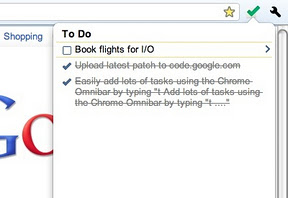
In the meantime, here’s a little riff I did this morning on using Gmail and Google Tasks as part of a balanced ‘Getting Things Done’ routine:


 Bright, shiny objects!