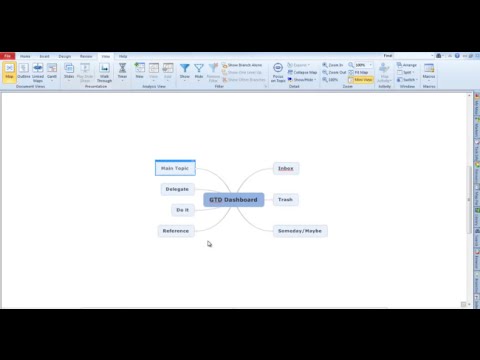
I’m surprised I haven’t come across this video before because GTD or Getting Things Done is one of my favorite thoughts or strategies and Mindjet MindManager is my favorite tools for implementing GTD. I promise you it’s worth your time to watch if you have a lot of information and effort to coordinate…
“I routinely declare email bankruptcy and simply delete my entire inbox. But even so, I currently have 2,433 unread emails in my inbox. Plus another 721 in my Facebook inbox. and about thirty skype message windows open with unanswered messages. It goes without saying, of course, that my cell phone voicemail box is also full (I like the fact that new messages can’t be left there, so I have little incentive to clear it out).
How do I deal with email now? I scan the from and subject fields for high payoff messages. People I know who don’t waste my time, or who I have a genuine friendship with. Or descriptive subject lines that help me understand that I should allot a minute or more of my life to opening it and reading it.”
Wow. Talk about a dysfunctional way of handling communications! Are you having problems like this? Here are a couple of ideas…
Use Gmail. No other ISP offers the tools to handle large volumes of email like Gmail…
Read ‘Getting Things Done’ by David Allen. If you’re in a hurry, skip to #3…
David Allen, author of Getting Things Done and inspiration for a lot of posts ’round these parts, gives away a free four-page PDF at his website that covers his basic principals for keeping email organized. Getting specific without going too in-depth, he explains the ‘two minute rule,’ why action-able emails should be kept separate from others, and why creating your own system—such as Gina’s [Trapani’s] modified ‘Trusted Trio‘. Great reading for GTD neophytes, and a good brush-up for the rest of us.”
Click here to get your copy! If you’re a Gmail user [and I hope you are] there’s more information here on how to use Gina’s system with Gmail or Google Apps mail.
Me personally? I use Gmail and Google Apps mail in conjunction with Remember The Milk [RTM]– the powerful task manager with the equally funny name. RTM gives me special tools to use within Gmail that allows me to convert an email to a task. In all fairness, Google now includes this feature in their task management system, however, it was not available when I built my approach to task management…
![Reblog this post [with Zemanta]](https://i0.wp.com/img.zemanta.com/reblog_e.png)

 Bright, shiny objects!